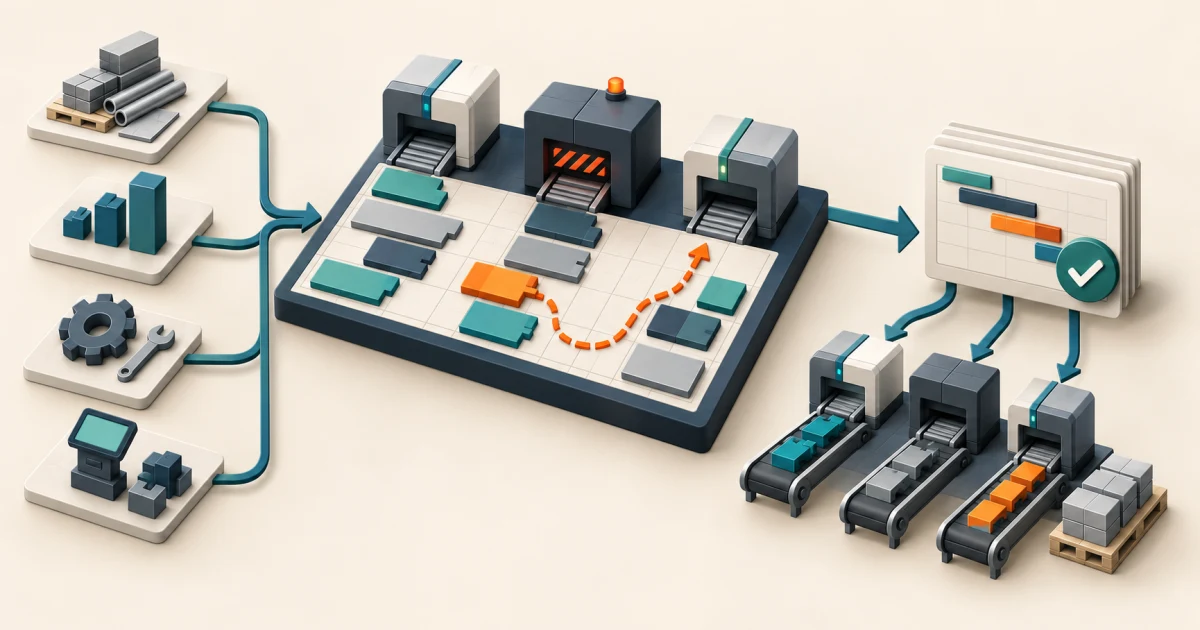
Define the scheduling decision before comparing software
A useful production scheduling software requirements checklist defines how current demand, route versions, materials, resources, calendars, changeovers, maintenance, quality holds, and operating priorities become a feasible schedule. It also defines who can approve or override that plan, how the shop floor receives it, and how actual work returns for reconciliation.
Start with one difficult production week, not a generic feature catalog. Include a late order, a constrained machine, a material shortage, a planned maintenance window, an alternative route, a setup-heavy sequence, and an execution delay. Ask every option to produce, explain, release, revise, and reconcile the same schedule.
The goal is not an attractive Gantt chart. It is a controlled planning decision that operators can trust, planners can change deliberately, and management can trace back to the inputs and rules that existed at the time.
Write a schedule contract for one planning horizon
Choose a bounded horizon: one line for one week, one work center for ten days, or one constrained product family for a planning cycle. Record the production orders, route and operation versions, quantities, due dates, priorities, resource capabilities, calendars, efficiencies, materials, tooling, labor skills, setup rules, maintenance windows, quality state, subcontracting, and freeze boundaries.
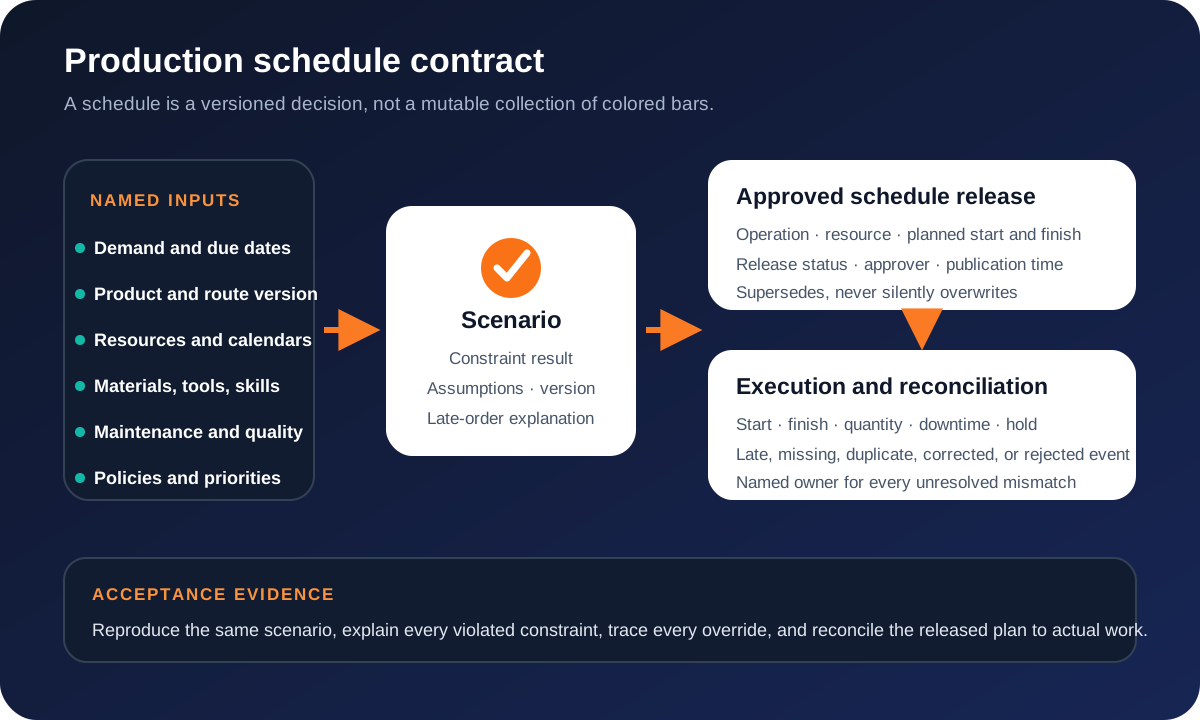
Separate input facts from scheduling policy. A resource calendar may say a machine is available for eight hours; policy decides whether planned work may consume all eight, reserve a buffer, cross a shift boundary, or use overtime. A promised date is an input; the rule for trading lateness against changeovers is a decision. Keeping those layers separate makes a result easier to explain and change.
Preserve each scenario as a snapshot with its input versions, rules, warnings, infeasible operations, manual changes, and comparison result. The released schedule should point to the approved scenario instead of becoming a mutable latest view that cannot explain yesterday's commitment.
Cover the requirement lanes that make a schedule usable
Demand and definitions
Orders, forecasts where used, product versions, BOM references, routes, operations, dependencies, quantities, units, priorities, due dates, customer commitments, cancellations, and planning horizons.
Resources and capacity
Sites, lines, work centers, machines, crews, skills, tools, molds, alternates, calendars, shifts, breaks, rates, efficiencies, capacity reservations, and capability limits.
Materials and constraints
Availability, reservations, expected receipts, substitutions, shelf or batch constraints where relevant, setup matrices, transfer time, maintenance windows, quality holds, and subcontract lead time.
Scenario and optimization
Forward and backward methods, finite rules, objective priorities, freeze zones, what-if copies, warnings, infeasibility, explanation, manual changes, comparison, approval, and version history.
Release and execution
Dispatch lists, operation assignments, planned start and finish, sequence, work instructions or references, publication acknowledgement, actual starts and finishes, quantities, downtime, scrap, and holds.
Platform and operations
Roles, delegation, audit history, integrations, retries, reconciliation, alerts, planner workspaces, reports, APIs, exports, migration, performance, backup, monitoring, support, and recovery.
Define scale with planning units that affect behavior: active orders, operations per order, candidate resources per operation, planning horizon, calendar resolution, constraints, plants, scenarios, schedule runs, concurrent planners, and acceptable calculation or refresh time. “Must scale” is not testable.
Also define the planner's operating view. A visual board should expose why a job is late, which constraint blocks it, what moved after an override, and which released operations now need acknowledgement. Color alone should not carry status, and a drag action should not bypass authority or hide downstream impact.
Make constraints, priorities, and change consequences explicit
Microsoft's current documentation distinguishes operations scheduling from more detailed job scheduling. Its job-scheduling model can consider individual jobs, resource calendars, finite capacity, finite materials, properties, dependencies, and forward or backward direction. That is a useful reminder that “supports scheduling” says little about the level of detail or constraints actually applied.
For every constraint, record whether it is hard, soft, advisory, or temporarily waived; its source and effective time; the scope it applies to; the warning or infeasibility it should produce; and who may override it. The same treatment applies to objectives. “Minimize lateness,” “reduce changeovers,” “protect priority customers,” and “keep utilization high” can conflict. Rank or weight them, then make the chosen trade-off visible.
Do not let rescheduling rewrite the past. Actual starts, completions, quantities, holds, and downtime are execution events. A new plan may respond to them, but it should not alter what was previously released or reported. Late-arriving and corrected actuals need an attributable path so planners can rerun a scenario without losing the original record.
Map authority across ERP, scheduling, and execution
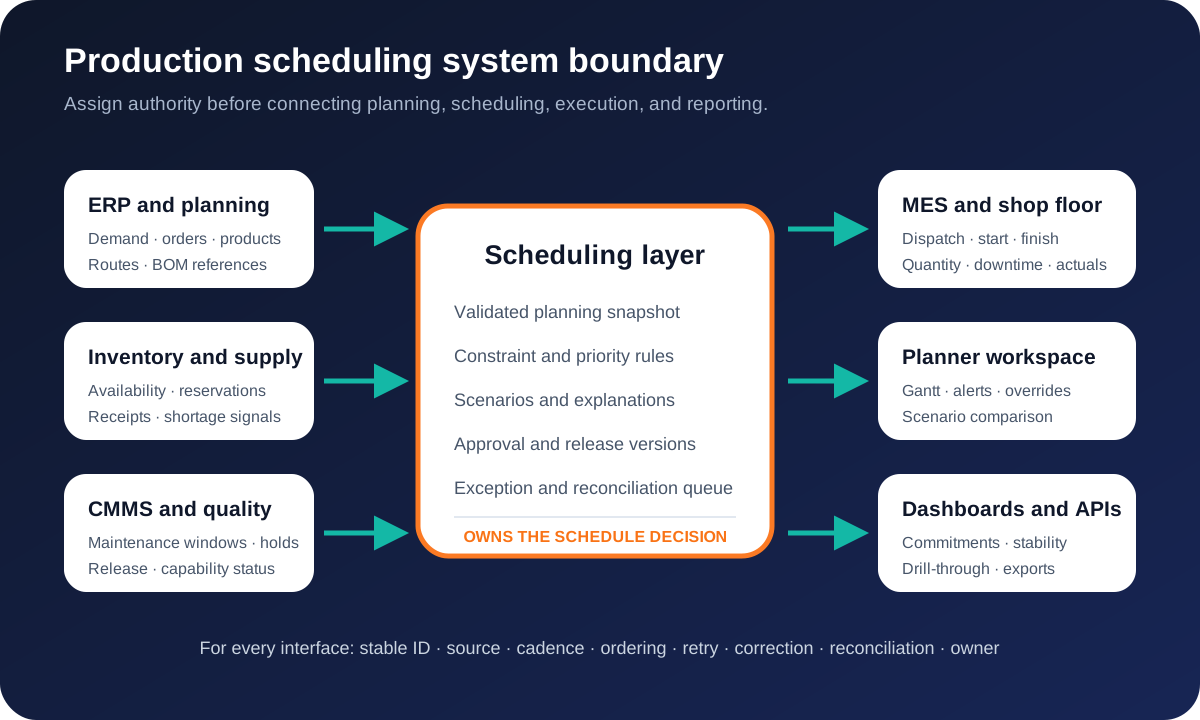
The ISA's ISA-95 overview separates enterprise business planning from manufacturing operations and control while defining information exchanged between them. Use that separation as a boundary question, not a claim that one product must occupy one layer. Name the authority for demand, product definitions, routes, inventory, capacity, maintenance, quality, schedule versions, dispatch, actuals, and financial records.
For each interface, define stable identifiers, payload meaning, direction, cadence, ordering, planning cutoff, duplicate behavior, correction, retry, monitoring, reconciliation, and ownership. The API integration requirements guide provides a reusable delivery contract for those exchanges. The CMMS requirements checklist goes deeper when maintenance availability and work execution affect the production plan.
If the unresolved boundary is the controlled execution of released work, the manufacturing execution system requirements checklist defines dispatch, instructions, material identity, actual events, quality decisions, genealogy, and reconciliation without collapsing detailed scheduling into MES.
Reporting must preserve its denominator and drill-through. Define schedule adherence, plan stability, lateness, capacity load, changeover, work in process, expedites, and planner overrides from approved source events. A focused operations dashboard can expose exceptions across systems without pretending to own production transactions.
Choose the smallest ownership boundary that solves the gap
Configure
An ERP, MES, or specialist scheduler can represent the real resources, constraints, scenarios, releases, and actuals with acceptable planner effort.
Extend
The scheduling engine is sound, but a data-quality queue, planning board, approval, report, integration, or operator handoff is missing.
Build
A distinctive production model or decision policy creates durable value that packaged workarounds repeatedly distort, and the organization can own it.
Compare candidates with the same anonymized scenario and expected outcomes. Price licenses, implementation, master-data repair, integrations, specialized configuration, planner administration, testing, support, upgrades, observability, export, and exit—not just the scheduling engine.
A focused custom web application may be appropriate for a bounded planner workspace or exception layer while established systems retain transactional authority. Custom ownership is harder to justify when the real gap is inaccurate routes, calendars, material state, or operating discipline.
Run a difficult-week pilot before plant-wide rollout
- Freeze a representative snapshot. Capture the demand, definitions, constraints, calendars, material state, maintenance, quality status, and source timestamps.
- Write expected outcomes. Identify operations that must be late, infeasible, reassigned, split, or held and record the reason before seeing the software result.
- Generate competing scenarios. Test different priorities, alternative resources, overtime, setup sequences, and freeze boundaries without altering the baseline.
- Approve and publish one version. Verify permissions, acknowledgements, exports, shop-floor delivery, and superseded-plan handling.
- Break execution. Add a shortage, breakdown, quality hold, rush order, late actual, duplicate event, and integration outage.
- Recover deliberately. Explain the proposed changes, review consequences, approve the successor, and retain the original release.
- Reconcile the horizon. Match released operations to actual starts, finishes, quantities, holds, and unresolved exceptions with named owners.
The output is a decision brief: repair data first, configure an existing module, buy a specialist scheduler, add integrations or a planning workspace, or own a bounded custom system. Include exclusions, acceptance cases, operating roles, migration, and a rollback path.
Production scheduling software FAQ
What should production scheduling software requirements include?
Include production orders and due dates, product and route versions, operation times, resources and capabilities, calendars, finite capacity, materials, tools, labor skills, setup and changeover rules, maintenance and quality constraints, alternative routes, scenarios, schedule approval and release, shop-floor actuals, exceptions, integrations, permissions, audit history, reporting, reconciliation, migration, and recovery.
What is the difference between production planning and production scheduling?
Planning decides what should be produced and in which period from demand, supply, and policy. Scheduling assigns operations to available resources and times while respecting the chosen level of detail and constraints. A useful implementation defines where aggregate planning ends, where detailed scheduling begins, and which system owns each decision.
Should production scheduling software replace ERP or MES?
Usually not. ERP commonly owns commercial demand, item data, orders, and financial records; MES or shop-floor systems commonly own execution events and actual production. A scheduling layer can own scenarios, constraint evaluation, sequencing, and released operation times while exchanging controlled records with both.
How should production scheduling software be tested?
Replay representative orders with shortages, unavailable resources, alternative routes, changeovers, maintenance, quality holds, rush work, late actuals, integration failures, and manual overrides. Verify feasibility, explanation, approval, release, duplicate handling, corrections, execution feedback, reconciliation, and recovery rather than checking only whether a Gantt chart renders.