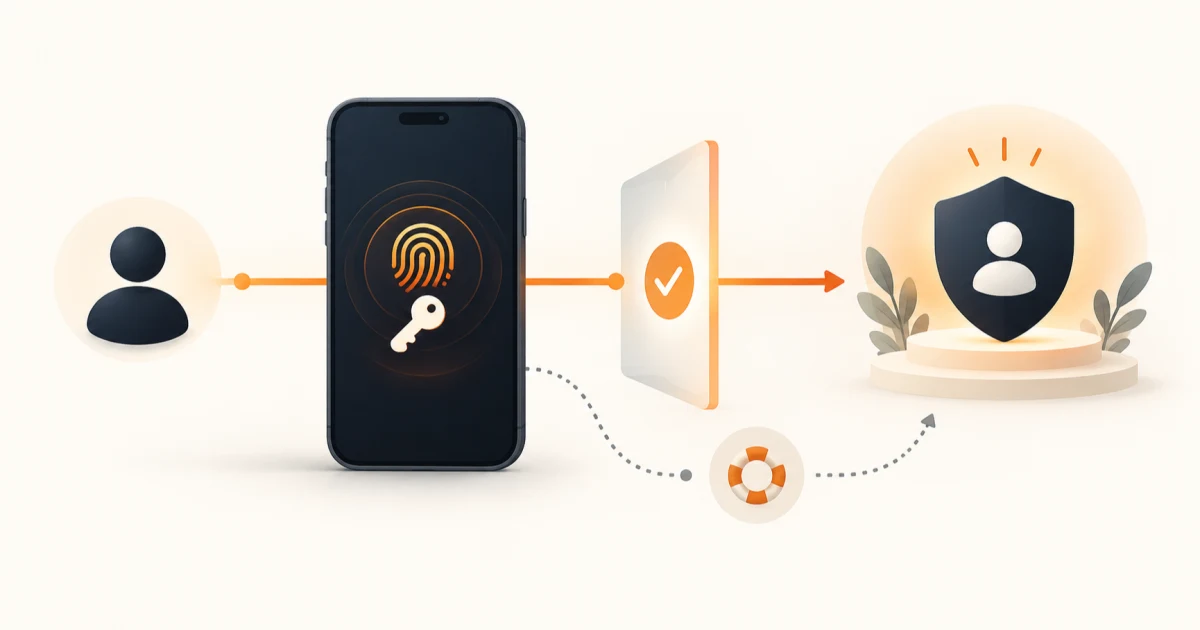
The short answer: design the identity lifecycle, not a login screen
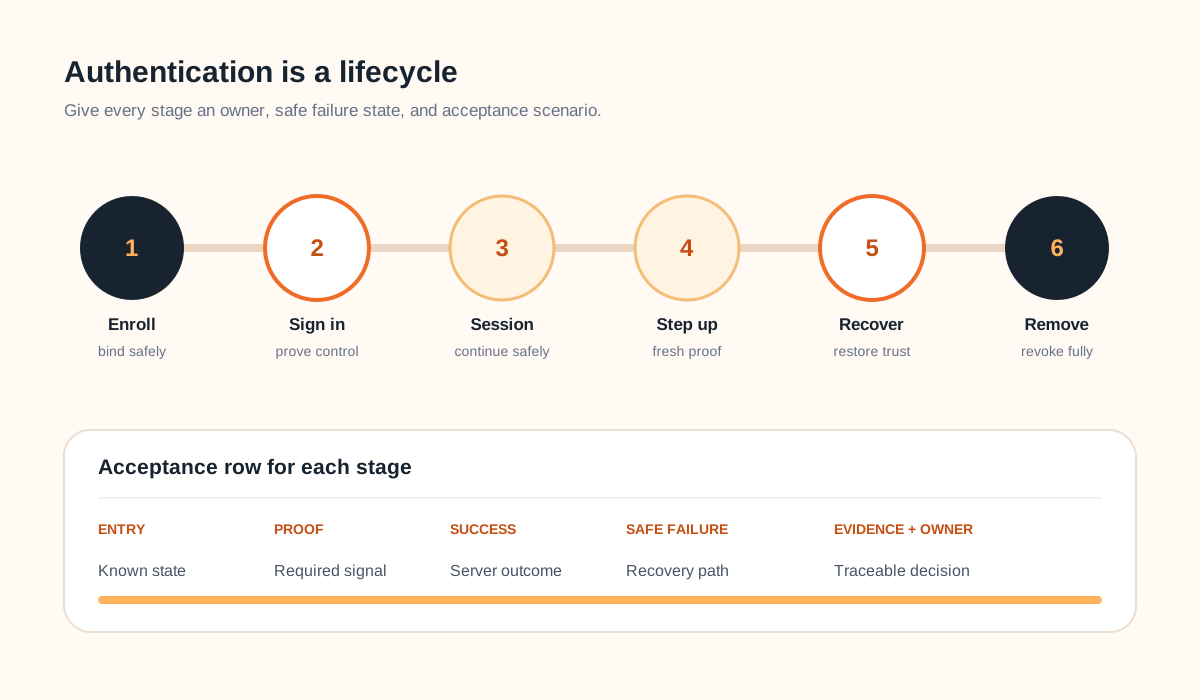
Mobile app authentication requirements should define the account and identity boundary, sign-up and sign-in methods, platform association, enrollment, secure credential storage, session creation and expiry, local biometric unlock, step-up checks, device change, logout, revocation, recovery, abuse controls, support, and test evidence. A successful Face ID or fingerprint prompt does not by itself establish which server-side account may act.
Start with one user and three moments: first enrollment, a normal return visit, and a lost-device recovery. Add one sensitive action such as changing payout details or exporting private data. If the requirements cannot explain those four journeys, choosing an authentication SDK is premature.
Use this guide with the broader mobile app requirements checklist and the web application security requirements guide for backend, authorization, and operational controls beyond the mobile identity journey.
Separate person, account, device, credential, and session
Write down the entities before writing screens. One person may have multiple accounts; one account may belong to an organization; several devices may hold credentials; a device may be shared; and each app installation may have one or more sessions. Define the stable server-side identifiers and the conditions for linking, switching, merging, suspending, and deleting them.
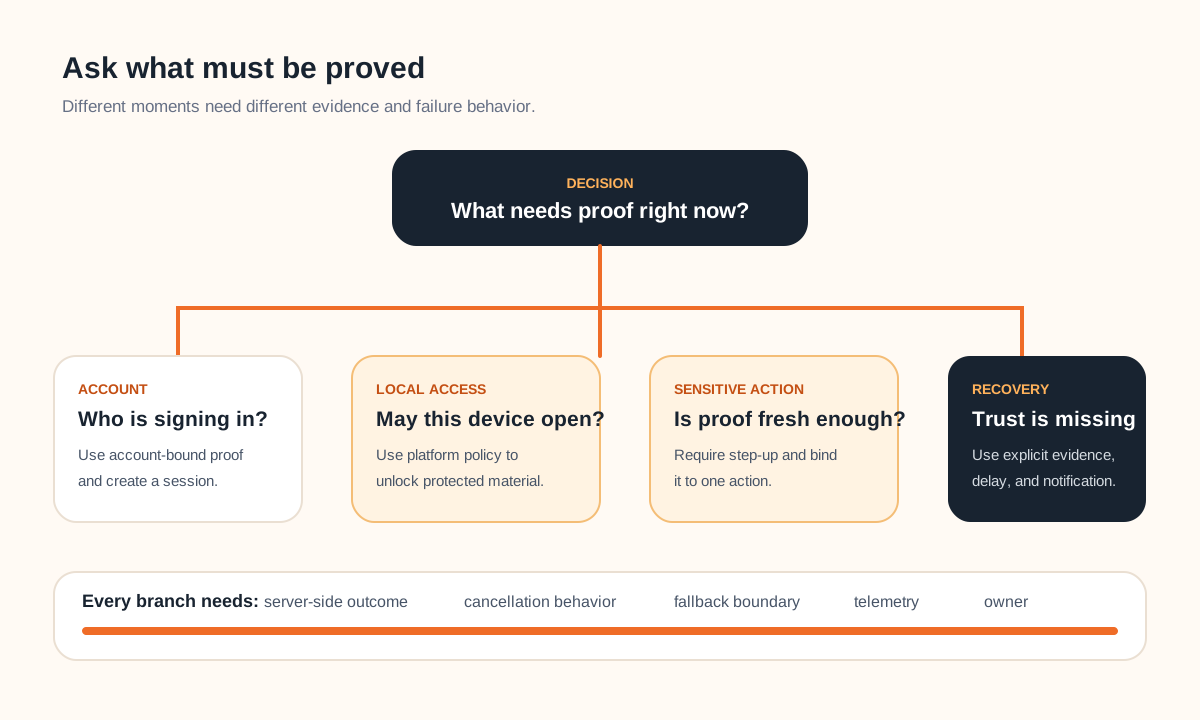
Authentication proves control of an authenticator associated with an account. Authorization decides what that account may do. A local biometric prompt proves that the device's configured owner satisfied a platform policy; it does not replace backend authorization. Apple describes LocalAuthentication as a way to supplement an app's own authentication scheme, with the underlying biometric data kept outside the app.
If several workers rotate through the same managed handheld, see the educational shared-device mobile access concept study. It applies this identity boundary to device enrollment, individual sessions, bounded offline work, shift handoff, revocation, and recovery without presenting the concept as a production security result.
Choose sign-in methods from risk and recovery
Passwords, passkeys, federated sign-in, email links, one-time codes, and enterprise identity each change enrollment, accessibility, cross-device use, support, and recovery. Score options against the audience, account value, existing identity provider, supported OS versions, app and website relationship, offline expectations, regulated obligations, and the cost of account takeover.
| Method | Useful when | Requirements must resolve |
|---|---|---|
| Passkey | Phishing resistance and low-friction return matter | Domain association, enrollment, sync, fallback, recovery |
| Federated sign-in | A trusted provider fits the audience | Account linking, provider loss, claims, revocation |
| Password or code | Compatibility or transitional access is needed | Rate limits, delivery, reset, enumeration, support |
Passkeys also require a trusted relationship between the app and web domain. Android's Credential Manager prerequisites use Digital Asset Links for this association. Apple's passkey guidance likewise treats the relying-party relationship as part of the implementation. Include the domain files, signing identities, environments, ownership, and renewal or migration tests in scope.
If methods coexist, define account discovery and linking without creating duplicates. State whether an email match is sufficient, what fresh proof is required before linking, and how the user removes one authenticator without locking out the last safe path.
Specify session continuity and step-up actions
After sign-in, define what the server issues, where the app stores it, refresh and expiry behavior, inactivity policy, logout, remote revocation, password or authenticator changes, clock and network failure, background refresh, reinstall, device backup or restore, and what remains visible when reauthentication is required.
The NIST session-management guidance separates the authentication event from the session that follows and describes termination, inactivity, and reauthentication. Use the assurance level and risk relevant to the product rather than copying government timeout values into an unrelated app.
Name sensitive actions that require fresh proof: adding or removing an authenticator, viewing recovery material, changing contact or payout data, exporting private records, approving a high-value action, or deleting the account. State the acceptable age and method of the proof and the safe result when the user cancels or the device cannot satisfy it.
Make recovery as deliberate as sign-in
Recovery is another authentication path, often with weaker signals and higher support pressure. Define lost device, changed phone number, unavailable email, deleted passkey, federated provider loss, compromised account, suspended user, and deceased or transferred business-owner cases that actually apply. Name the evidence, delay, notification, human review, and audit trail for each path.
Avoid a hidden support override that bypasses the product's controls. Support should see enough history to understand the case, but not secrets or unnecessary private data. High-risk recovery may need a cooling-off period, notification through an existing channel, removal of old sessions, and restricted actions until the account is stable.
Define device inventory only if the product can make it accurate and useful. If users can view or revoke sessions, explain what a listed device means, how names are derived, when the record was last active, and which server-side tokens are actually revoked. Do not imply that deleting a row remotely erases all local data unless the platform and app architecture can prove it.
Test the whole authentication lifecycle on real boundaries
Use representative devices, OS versions, account states, network conditions, accessibility settings, and identity-provider environments. The OWASP MASVS authentication controls are a useful security-review baseline, but product acceptance still needs journey-specific outcomes and operating evidence.
- New account, returning account, existing web account, invited user, suspended user, and deleted or merged account.
- Every supported method, cancellation, denial, timeout, unavailable provider, wrong account, and interrupted redirect.
- App backgrounding, process death, weak network, offline return, token expiry, refresh failure, logout, and remote revocation.
- Biometric unavailable, enrollment changed, device passcode fallback, shared device, reinstall, and restored device backup.
- Sensitive-action step-up, lost-device recovery, authenticator replacement, account-linking conflict, and support escalation.
- Rate limits, enumeration-resistant messages, accessible input and recovery, security events, alerts, and redacted diagnostics.
A one-user authentication release brief
Complete this worksheet before estimating the authentication work inside a mobile app development project:
- User, account type, organization context, and risk level.
- Supported devices, OS versions, app and web domains.
- Primary, fallback, and migration sign-in methods.
- Enrollment, verification, linking, and removal rules.
- Session storage, expiry, refresh, logout, and revocation.
- Sensitive actions and required fresh-proof policy.
- Lost-device recovery, support boundary, and notifications.
- Acceptance matrix, telemetry, incident owner, and release gate.
Keep the first release narrow enough to test on supported hardware and recover safely. Extra methods are not free resilience; every added path creates linking, fallback, abuse, support, and long-term maintenance work.
Frequently asked questions
What should mobile app authentication requirements include?
Include account and identity boundaries, supported sign-up and sign-in methods, app-to-domain association, enrollment and verification, secure credential and token storage, session creation and expiry, biometric or device-credential unlock, step-up actions, device change, logout and revocation, recovery, abuse controls, accessibility, telemetry, support tools, and acceptance scenarios on supported devices.
Is biometric login the same as authenticating a user account?
Not necessarily. Platform biometrics usually prove that the current device owner satisfied a local policy; the app still needs a trusted server-side account and session. Define whether biometrics unlock a locally protected credential, approve a sensitive action, or participate in a passkey flow, and provide a safe fallback and recovery path.
Should a mobile app use passwords, passkeys, social sign-in, or one-time codes?
Choose from the account risk, audience, supported platforms, existing identity system, recovery model, and operational capability. Passkeys can reduce phishing exposure, federated sign-in can simplify onboarding, and passwords or codes may remain compatibility paths. The requirements should describe coexistence, linking, fallback, and migration rather than selecting one button in isolation.