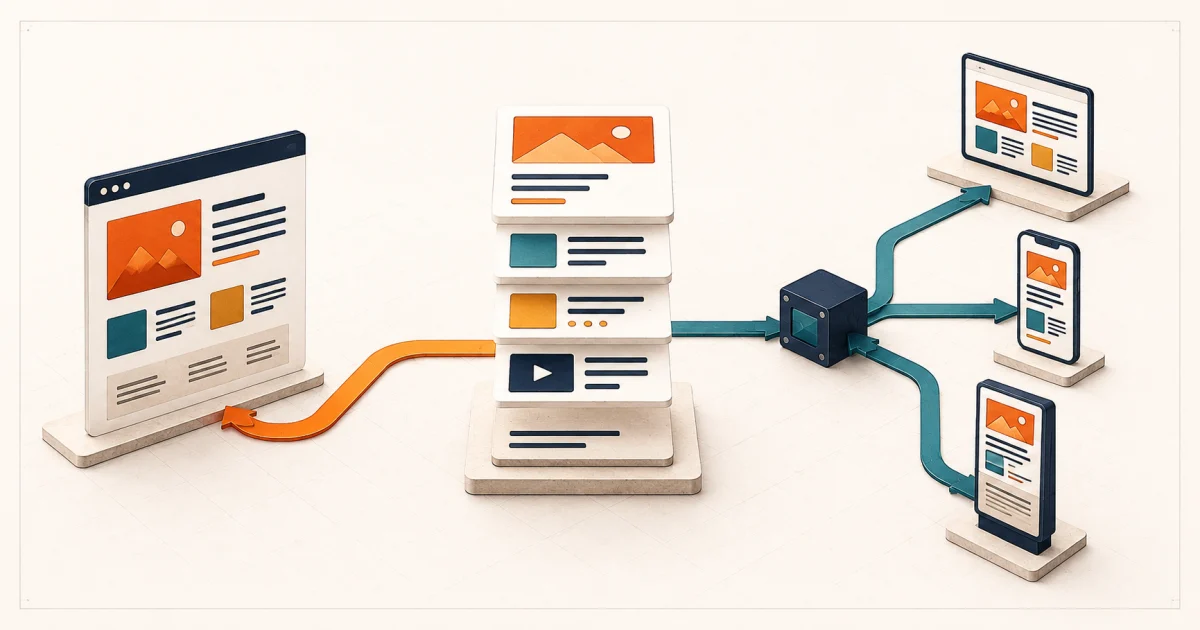
The short answer: choose by who publishes what, where, and how often
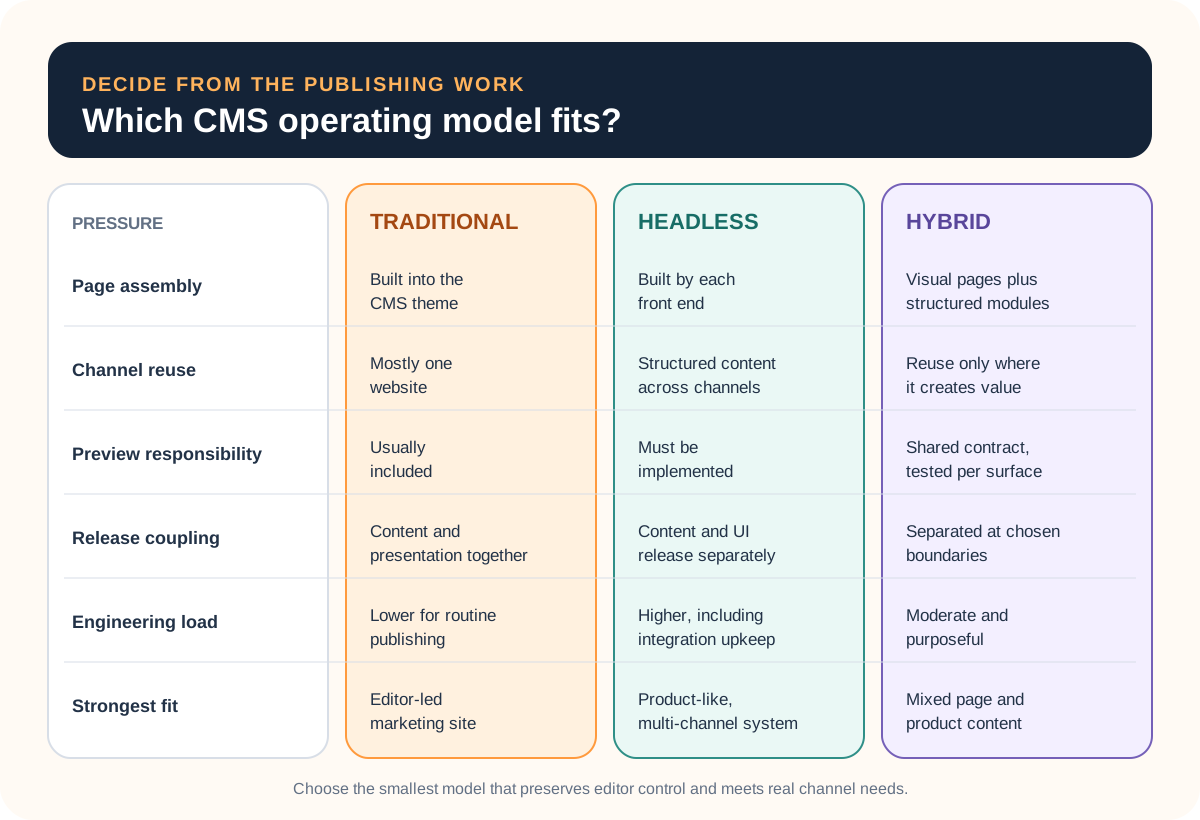
Choose a traditional CMS when one website is the main channel, editors need direct page control, and the platform can meet the requirements without a permanently separate front end. Choose headless when the same structured content must serve several important channels or a product-like interface needs an independent release cycle. Use a hybrid boundary when only part of the content needs that separation.
Headless is not an automatic upgrade. It moves responsibility for rendering, preview, routing, cache invalidation, search, forms, metadata, and integration behavior into the delivery system your team builds. That trade can be worthwhile, but only when the flexibility solves a named publishing or product constraint.
Traditional
Keep page editing and delivery together.
Headless
Separate structured content from each interface.
Hybrid
Separate only the content that earns it.
Compare operating models before comparing vendors
A vendor feature grid starts too late. First decide which team should own page composition, how content is reused, whether editors can preview the delivered experience, and what must be maintained after launch. Then platforms can be scored against a stable brief instead of changing the requirements to suit a preferred tool.
| Buyer situation | Likely starting point | Question that can change it |
|---|---|---|
| Service website with frequent campaign pages | Traditional or visual hybrid | Can marketers assemble and preview pages without a release? |
| Product catalog shared by web and app | Headless or hybrid | Is the shared object truly the same across channels? |
| One editorial publication | Traditional | Does custom presentation justify a separate delivery stack? |
| Marketing site plus logged-in product experience | Hybrid boundary | Which content needs shared governance rather than shared technology? |
Start with a real publishing job, not an architecture diagram
Pick a representative change: launch a service page, update a regulated statement across locations, schedule a campaign, localize a product record, or correct an urgent announcement. Write who drafts, reviews, approves, previews, publishes, verifies, and restores it. Record where a developer is needed and whether that dependency is acceptable.
If central and local teams share responsibility for branch pages, use the multi-location website requirements checklist to define field ownership, location facts, actions, lead routing, and opening or closure workflows before comparing CMS products.
A traditional platform may already provide useful role and revision behavior. WordPress, for example, documents separate roles and capabilities for tasks such as writing, editing, and publishing, plus a revision history and restore flow. Those are concrete operating capabilities, not incidental admin features. Verify how any shortlisted product implements the workflow you need rather than assuming every CMS behaves alike.
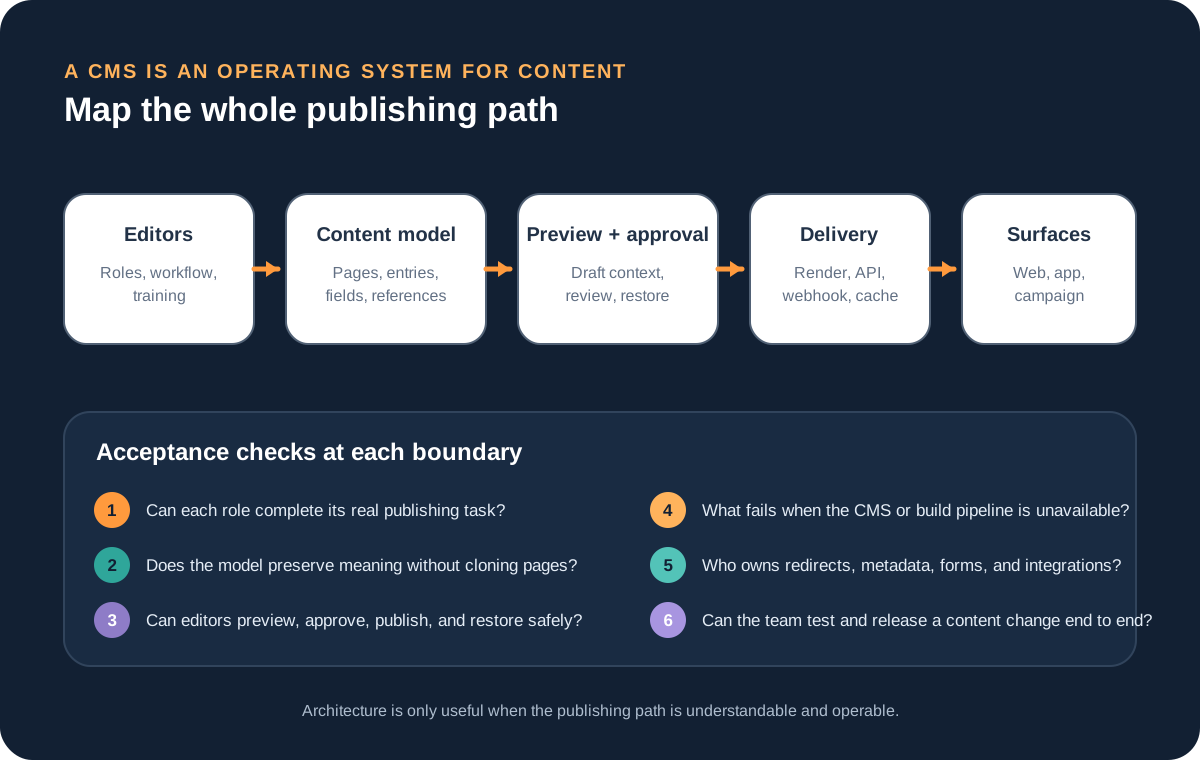
In a headless system, preview is a delivery feature shared between the CMS and the front end. Contentful's current documentation, for example, explains that its preview API must be paired with an online or local version of the website or app where draft entries can render. Its content preview guide also warns against putting access tokens in preview URLs. This illustrates the broader point: decoupling creates a contract your implementation must complete and secure.
Count the complexity the architecture transfers to your team
Compare total operating responsibility, not only subscription price. Include content modeling, custom components, preview, author training, role design, asset handling, search, forms, redirects, localization, accessibility, analytics, deployment, cache invalidation, security updates, backups, vendor limits, integration monitoring, and the cost of future change.
Headless delivery often uses webhooks to trigger builds or other downstream work. The Contentful webhook documentation explicitly includes error handling, retry policy, filtering, and transformations. Those concerns exist whether or not the vendor UI makes them visible. Decide who will detect a missed event, replay it, confirm the correct content is live, and respond when the CMS is unavailable.
Traditional systems concentrate more responsibility in one platform, which can simplify ownership but also concentrate upgrade, plugin, theme, and hosting risk. Headless distributes responsibility across services, which can improve separation but increases the number of contracts to operate. Hybrid reduces neither risk automatically; it succeeds when the boundary is explicit and independently testable.
Do not use SEO or performance as architecture slogans
Either model can produce crawlable, fast, accessible pages—or a poor result. Verify the actual output: stable URLs, server rendered or otherwise reliably discoverable content, unique metadata, canonical rules, internal links, structured data, responsive images, useful error pages, redirects, XML sitemaps, and predictable publishing behavior. Measure representative pages under real content and third-party scripts.
A redesign or replatform also changes migration risk. Preserve an inventory of URLs, metadata, media, forms, structured data, analytics, and redirects. The website migration checklist provides the launch-control layer, while the redesign-or-rebuild guide helps decide how much of the current experience deserves to be replaced. The CMS decision should not silently become approval for a full rebuild.
Run a thin end-to-end pilot with the people who will operate it
Configure one realistic content type and one representative page. Ask an editor—not the implementation team—to draft, preview, route for approval, publish, correct, schedule if needed, and restore a previous version. Then test the delivery path: metadata, links, images, responsive rendering, cache refresh, search, analytics, and failure handling.
The Leeonex educational concept for a governed resource-library CMS shows how one representative content type can be bounded with approved blocks, role gates, preview, public verification, and recovery evidence. It begins after the architecture choice and does not assume that headless, traditional, or hybrid delivery has already won.
Score the pilot on task completion, clarity, number of handoffs, time waiting on developers, consistency across channels, recoverability, and ongoing owner. Do not manufacture a single weighted score that hides a critical constraint. A platform that is pleasant for routine publishing but cannot meet a required permission boundary is not acceptable; neither is an elegant API that leaves editors dependent on engineering for every page.
For a straightforward company site, a maintainable CMS website implementation may be the right answer. For product-like experiences or several important delivery surfaces, a headless or hybrid boundary may earn its additional ownership. The pilot should expose that difference before migration commits the team to it.
Use a selection brief that remains valid across platforms
Record publishing jobs, roles, content structures, channels, preview expectations, approvals, localization, search, forms, integrations, security boundaries, migration inventory, export needs, service ownership, and the pilot acceptance test. Name assumptions and non-goals. Then document why the selected model is the smallest one that satisfies the brief.
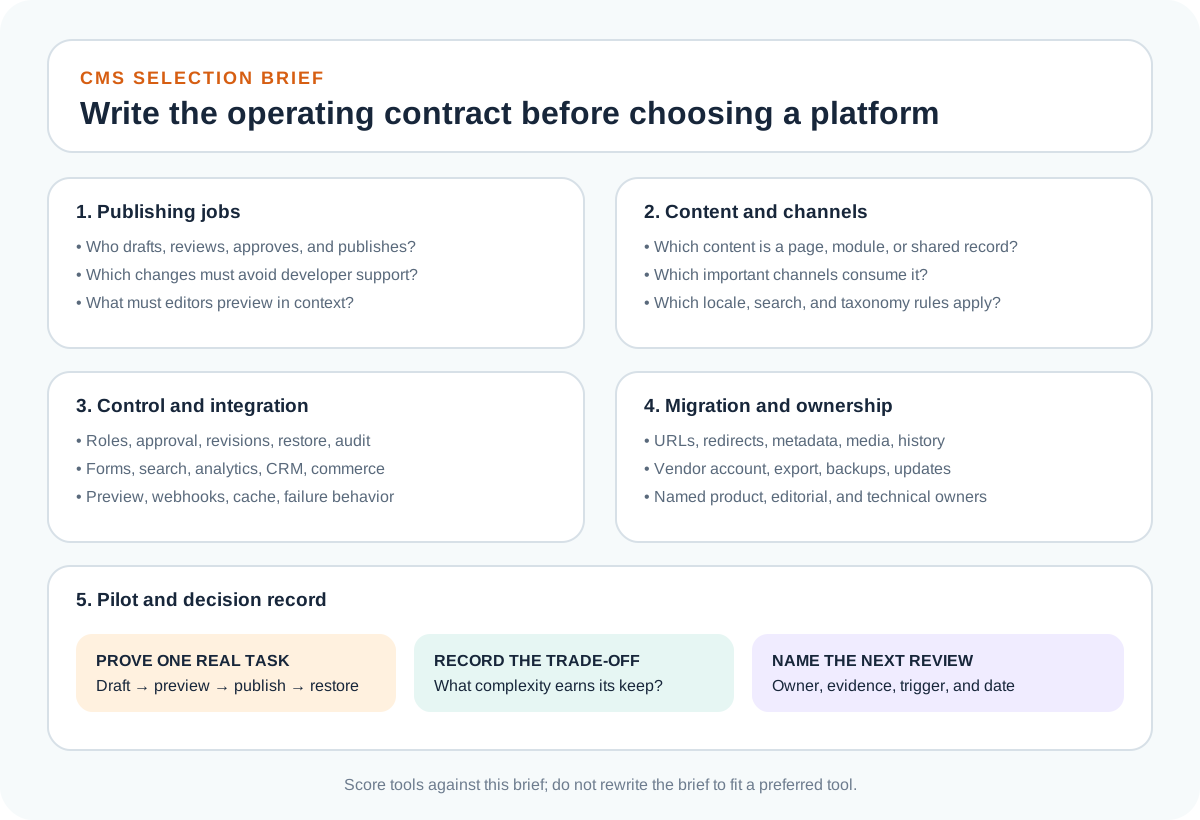
Add a review trigger instead of pretending the decision is permanent. A new channel, larger editorial team, localization requirement, recurring integration failure, vendor change, or material increase in developer dependency may justify revisiting the boundary. Until then, avoid paying complexity in advance for hypothetical reuse.
Headless CMS vs traditional CMS FAQ
What is the main difference between a headless and traditional CMS?
A traditional CMS manages content and renders the website in one coupled system. A headless CMS manages structured content and delivers it through an API to separately built websites, apps, or other channels. That separation adds flexibility, but it also makes the delivery team responsible for the front end, preview, cache behavior, integrations, and more of the publishing path.
Is a headless CMS better for SEO?
Not automatically. Search performance depends on the rendered pages, metadata, URLs, internal links, structured data, image delivery, crawlability, performance, and migration quality. A headless architecture can support strong implementation, but it can also omit capabilities that a traditional platform handled by default. Evaluate the delivered website rather than the architecture label.
When is a traditional CMS the better choice?
It is often the better choice when one marketing website is the primary channel, editors need visual page control, the available theme and extension ecosystem meets requirements, and the organization does not want permanent engineering ownership of a separate front end and content-delivery integration.
When does a headless CMS earn its extra complexity?
It earns the complexity when important structured content must serve multiple independently designed channels, the front end behaves like a product, separate teams need controlled release boundaries, or a coupled platform blocks a validated requirement. Reusing content in theory is not enough; name the channels, content types, owners, and release behavior first.
What is a hybrid CMS approach?
A hybrid approach keeps visual page composition where editors need it while separating selected structured content or product-like experiences behind APIs or custom front ends. It can be a sensible boundary, but only if ownership, preview, routing, and failure behavior remain clear rather than becoming two loosely connected publishing systems.