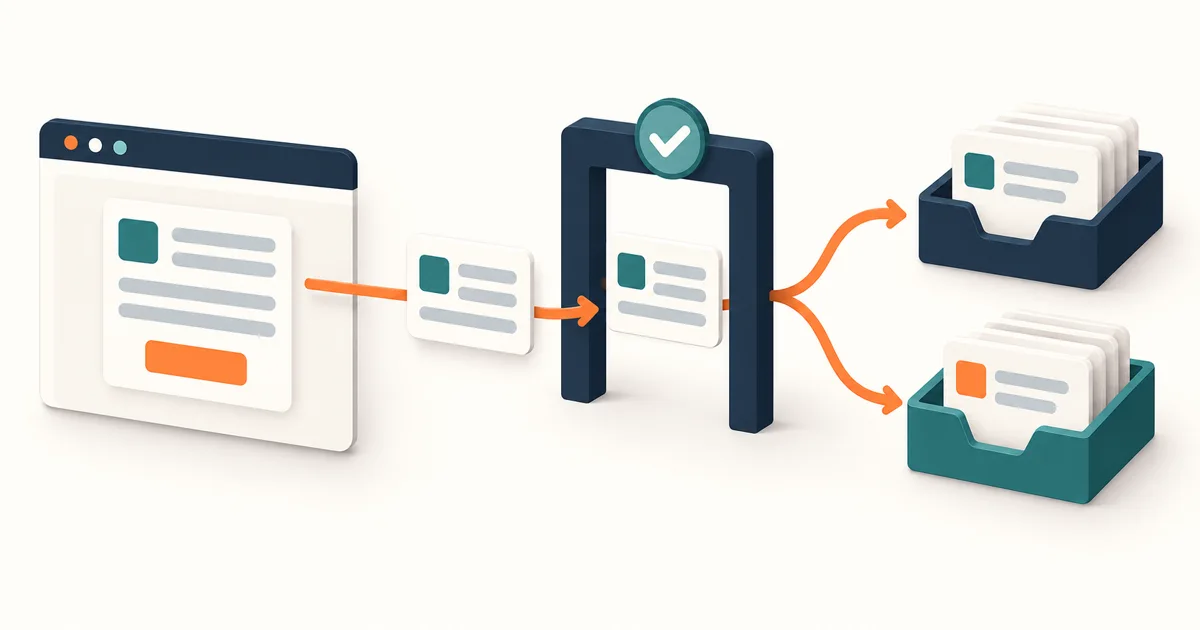
The short answer: specify the inquiry after submit
Website lead form requirements should cover the visitor's purpose, minimum fields, accessible input and errors, server-side validation, abuse controls, a durable submission record, CRM or inbox handoff, owner assignment, confirmation, and measurement. A polished form that ends at a success screen is incomplete if nobody can reliably act on the inquiry.
Suppose a service business has a “Request a proposal” form. The visitor supplies contact information and a short project description. The site says “Thanks,” but the CRM rejects a field value; nobody sees the request. The business problem is not button styling. It is an unverified handoff and an unclear failure owner.
This guide scopes one working lead capture path. The website conversion audit diagnoses the wider journey and where inquiries leak. The website requirements guide covers the whole site brief. Use this form contract when the page, CRM, marketing, and receiving team must agree on what a valid inquiry means.
If the harder question is how the page should help buyers judge fit before they reach the form, use the B2B service lead qualification landing-page concept study. It connects offer clarity, honest exclusions, decision proof, a short inquiry, and named sales ownership without treating a long form as the qualification strategy.
Start with the reply the team needs to write
Ask the receiving owner what they need for a useful first response. Most forms need a reachable contact and enough context to identify the request. A phone number, company size, budget, deadline, and file upload may help some teams but create needless friction or privacy exposure for others. Mark each field as required, optional, or removable, and record the decision it enables.
For example, a website project inquiry may need name, work email, and a short “What are you trying to change?” prompt. A specific service choice may route the message; an open paragraph can reveal whether the request is in scope. A mandatory budget dropdown can help qualification, but only if the team truly uses it and the options fit real buyers. Do not hide qualification work inside a form simply because no one owns the first reply.
W3C's forms tutorial recommends asking only for information needed to complete the task and using labels, instructions, validation, and clear notifications. Write the field label and help text in the brief, not just the data key. Test the form by keyboard, screen reader, touch, and narrow screen. Errors should identify the specific field and how to fix it, while retaining already entered values when possible.
Separate the inquiry from marketing consent. The contact permission needed to reply to a request is a different product decision from subscribing someone to future campaigns. Have the privacy owner set wording, records, retention, and regional requirements. Do not use a prechecked marketing box as a shortcut to building an email list.
Map the full submission and follow-up path
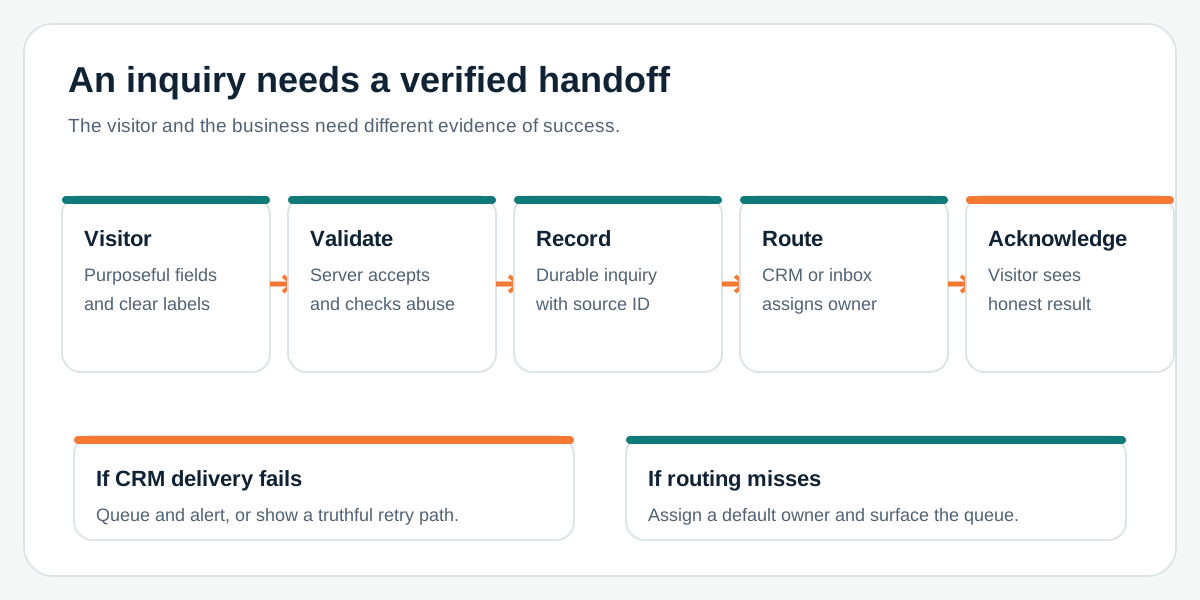
Define the states separately: entered, rejected with a fixable error, accepted by the server or provider, recorded in the destination, assigned to an owner, and acknowledged to the visitor. Decide when the visitor can safely see success. If the CRM is temporarily unavailable, a server-controlled queue or durable store may let you accept and retry; otherwise show an honest failure and a working alternate contact path. Never claim success based only on a browser request starting.
For every accepted inquiry, record a submission identifier, timestamp, source page, routing decision, delivery result, and current owner. Keep sensitive free-text data out of analytics events and routine error logs. Route by actual business rules: service requested, region, account relationship, or priority. Add a default owner for unmatched cases, and a visible queue for items that fail assignment. The API integration checklist can help when the CRM handoff needs retries or deduplication.
Tell the visitor what happens next in plain language: the request was received, which channel the team will use, and a realistic response expectation only if the business has committed to one. Internally, agree who checks the queue and what happens during leave or a system outage. A generic shared mailbox may be enough at low volume if someone owns it and can prove receipt.
Choose an embed, integration, or custom form deliberately
A supported CRM form embed can be the quickest route when its fields, consent behavior, accessibility, branding, spam controls, and routing satisfy the brief. HubSpot documents that its external embeds sync submissions to HubSpot, with setup considerations for tracking and styling. Check the exact provider and plan before treating an embed as a complete solution. It may affect performance, scripts, cookie behavior, or how the page handles an unavailable third party.
A custom form with a server-side CRM integration is useful when the buyer journey needs tailored fields, a branded accessible interaction, multiple destinations, or a resilient queue. It creates ownership for validation, abuse controls, retries, data handling, and maintenance. If volume and complexity are small, an email or form service may be sufficient. Choose by the acceptance contract and operating burden, not by whether “custom” sounds more impressive.
OWASP advises server-side input validation even when client-side checks improve the experience. Specify allowed lengths and formats, enforce limits at the server or provider, and test malformed input. For spam, combine proportionate controls such as rate limits, provider protection, and review flags. Verify that a legitimate user can still submit; a hard-to-solve challenge can block the very inquiry the form exists to collect.
Test for the useful business result
Use a test inquiry with a known destination and owner. Submit from mobile and desktop. Check labels, keyboard order, autofill, visible and announced errors, retained values after a mistake, confirmation text, and the resulting CRM or inbox record. Confirm that the request reaches the intended owner with enough context to respond. Then test an unknown service selection and a duplicate submission.
Simulate a CRM timeout, provider rejection, expired credential, invalid field mapping, spam flag, and notification failure. Decide which cases preserve a retryable record and which ask the visitor to try again. Make sure the team can see unresolved submissions without exposing data to the wrong person. Review logs for personal information, and have the privacy owner verify the retention and access policy.
If analytics is in scope, emit a lead event only after acceptance. Google Analytics defines generate_lead for a generated lead, such as a completed form. A click on Submit is a different event. Compare accepted submission IDs with destination records to detect handoff gaps; do not treat a rising form event count as proof of qualified sales conversations.
A one-page form acceptance brief
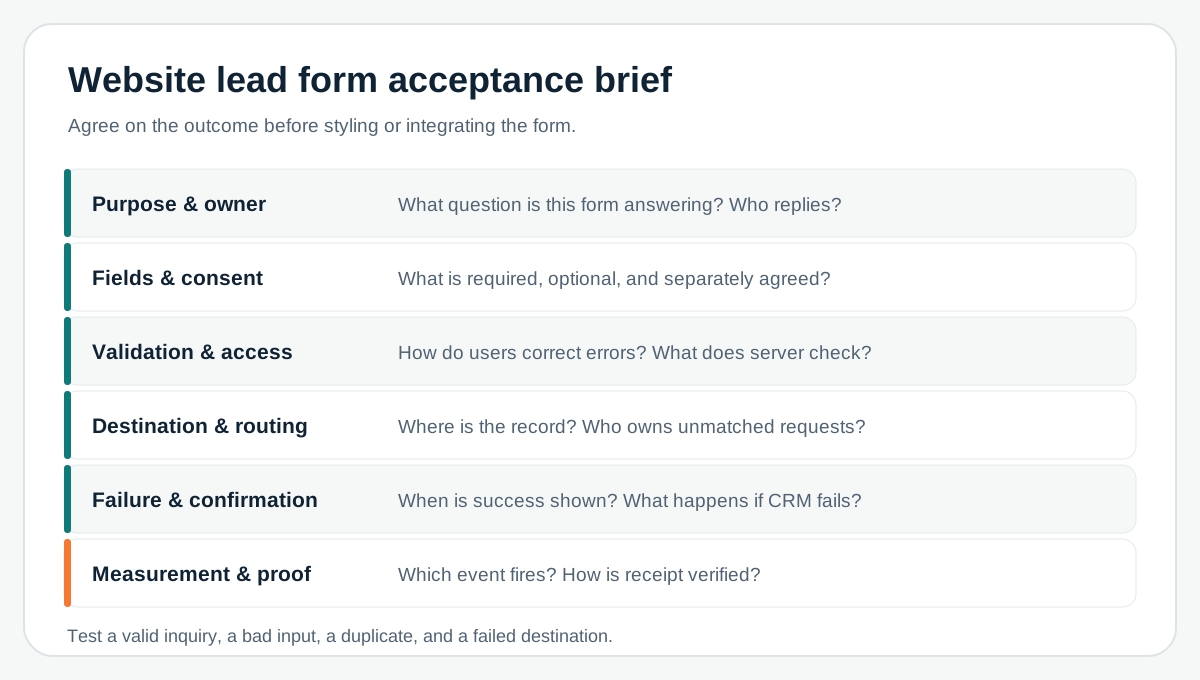
Fill this brief with one real offer and one real follow-up owner. Record the fields and why each exists, the valid submission state, destination and fallback, response copy, consent rule, analytics trigger, and the failure tests. If the project also needs new pages, messaging, proof, and content, move outward to the full website brief. If you are unsure whether the form is the constraint, use the conversion audit to gather evidence first.
The first useful release is a form the intended visitor can complete and the business can reliably answer. Once that path works, improve qualification or routing from actual submissions and team feedback rather than asking every possible question up front.
If the next constraint is consistent triage rather than intake, use the AI lead qualification requirements checklist to separate verified fit, stated intent, missing evidence, human authority, CRM writes, and evaluation before automating the decision path.
If the form belongs to a wider site project, use Leeonex's website development service to scope the page, content, and handoff together.
Frequently asked questions
What fields should a lead form require?
Require only what the receiving team needs to identify and respond to the inquiry. Usually contact details plus one useful project or service context are enough to start. Add fields only when they change routing or the first reply, and validate the requirement with the actual follow-up owner.
Should a website form send directly to a CRM?
Use a direct integration or a supported embed when the CRM can capture the required fields, consent context, and routing reliably. A simple email notification can be enough for low volume, but the business still needs a durable record, an owner, and a failure path.
When should a lead conversion event fire?
Fire a lead event only after the server or form provider confirms an accepted submission. A button click, client-side validation pass, or optimistic success screen can overcount leads when the handoff fails.